

Submitting documents to a court can feel overwhelming, especially when every small detail matters. Courts in the United States expect precise formatting and complete, authentic supporting materials for each legal claim. Whether you are preparing paperwork for a federal or state case, getting every step right builds a strong foundation for your argument. This guide breaks down how to collect, format, and organize your legal documents so your case stands up to scrutiny and avoids unnecessary delays.
Table of Contents
- Step 1: Gather Required Information And Supporting Materials
- Step 2: Set Up Document Structure To Meet Court Rules
- Step 3: Apply Proper Formatting For Headings And Spacing
- Step 4: Insert Necessary Citations And References
- Step 5: Verify Compliance And Perform Quality Checks
Quick Summary
| Key Point | Explanation |
|---|---|
| 1. Gather All Supporting Documents | Collect identification, financial records, and agreements to establish a strong foundation for your case. Organize everything methodically to support your claims effectively. |
| 2. Understand Court Formatting Requirements | Familiarize yourself with specific court guidelines for document structure, including font, spacing, and margins, to ensure acceptance. Use official templates if available. |
| 3. Create Clear Headings and Spacing | Use a hierarchy of headings for clarity in your document. Maintain consistent spacing to improve readability, making your arguments easier to follow. |
| 4. Properly Cite Legal References | Always cite any statutes, cases, or regulations referenced to add credibility and verifiability to your arguments. Inconsistent citations can weaken your case. |
| 5. Perform Thorough Quality Checks | Before submission, check for completeness and accuracy in forms, content, formatting, and citations to avoid delays or rejection. Create a checklist for efficiency. |
Step 1: Gather required information and supporting materials
Before you can move forward with any court submission, you need to collect the foundational information and documents that will back up your claims. This step separates people who have a strong case from those who stumble later because critical evidence is missing or disorganized. Think of it like building a house: the materials you gather now become the foundation everything else rests on.
Start by identifying what information you actually need. Your case will determine this. If you’re addressing claims related to an incident, you’ll want to document the narrative of what happened, who was involved, and when it occurred. Supporting documents provide evidence or verification for the facts you’re stating in your documents. This means collecting anything that proves what you’re claiming is true. If money is involved, gather financial documentation like bills, receipts, payment records, or wage statements that show what you lost or spent. If contracts or agreements exist, locate those. If there were communications (emails, letters, phone records) related to the situation, preserve them. Medical records, incident reports, photographs, or official documents that relate to your case all belong in this collection phase.
Personal identity documents form the baseline. You’ll need verification of who you are, which might include a birth certificate, identification card, or similar proof. If your case involves relationships or legal status, gather documents that establish those facts. Educational credentials, professional licenses, property documents, or anything that verifies claims you’re making in your filings should be organized and accessible. The key here is authenticity and legibility. A document that’s too faded to read, illegible, or damaged won’t serve you well in court. If you have original documents, keep them safe. Make clean copies that are easy to read.
Organization matters more than you might think. Create a simple checklist of what you need based on the type of case you’re handling. As you gather each item, mark it off. This prevents you from submitting incomplete materials and having your case delayed or rejected. Group documents logically, whether that’s by date, type, or relevance to specific claims. Courts and judges appreciate when materials are presented in a way that’s easy to follow. When everything is scattered and disorganized, you create unnecessary friction. When it’s organized, you demonstrate that you understand your case and respect the court’s time.
Here’s a summary of common types of supporting materials and their court uses:
| Material Type | Typical Use in Court | Example Document |
|---|---|---|
| Personal identification | Prove identity and legal status | Driver’s license, passport |
| Financial documentation | Demonstrate losses or payments | Receipts, bank statements |
| Medical records | Show injuries or health status | Doctor’s notes, lab reports |
| Communication records | Evidence of relevant contacts | Emails, phone logs |
| Contracts and agreements | Establish legal obligations | Lease agreement, service contract |
| Property documentation | Verify ownership or value | Deed, appraisal statement |
One more thing: accuracy matters. Every piece of information you provide should be correct and truthful. False or misleading documentation doesn’t just weaken your case, it can create serious legal problems. If you’re unsure about whether something is relevant or how to present it, that’s when consulting with someone who understands your specific situation becomes valuable.
Pro tip: Create a master list of every document you’ve gathered, noting the date you obtained each one and why it’s relevant to your case, because this inventory becomes invaluable when organizing materials for court submission and helps you spot any gaps in your evidence.
Step 2: Set up document structure to meet court rules
Now that you’ve gathered your materials, you need to format them in a way that courts will actually accept. Courts are strict about this stuff, and it’s not because judges are trying to make your life harder. They have processes and systems designed to handle thousands of documents efficiently. When your paperwork doesn’t follow the rules, it creates friction. Your document might get rejected, returned, or delayed. Getting the structure right the first time saves you months of frustration.

The first thing you need to do is find out what your specific court requires. Different courts have different rules, and federal courts often differ from state courts. Many courts provide official forms or detailed instructions on their websites. If your court has an approved form for what you’re filing, use it. Don’t reinvent the wheel. If official forms aren’t available, check your local law library or the court’s website for formatting guidelines. Legal documents must follow court-prescribed formats including structured formatting compatible with court expectations. This means understanding margins, font size, page numbering, spacing, and how sections should be organized. Some courts want double-spaced text. Others want specific font types. Some require certain binding methods. You need to know these details before you start formatting.
The technical aspects matter more than you might expect. The U.S. Supreme Court and other federal courts have detailed rules about how documents should look physically. This includes paper size (usually 8.5 by 11 inches), font selection, and margins. Most courts want a standard typeface like the Century family in 12-point type, with double-sided printing when possible. Margins should be clear and consistent, typically one inch on all sides. If your document requires binding, use firm binding that won’t fall apart when the court handles it. These specifications might seem trivial, but they affect whether your document gets processed smoothly or gets kicked back for noncompliance.
Page numbering and organization create clarity. Every page should be numbered, usually at the bottom center or bottom right. Section headings should be clear and consistent throughout. If you’re filing multiple documents together, they need to flow logically. Some courts want a table of contents for longer submissions. Headings, subheadings, and the overall structure should guide someone through your argument or narrative without confusion. Think about how a judge or court clerk will read this. Will they understand what they’re looking at? Can they find information quickly? A well structured document demonstrates competence and respect for the court’s time.
Before you finalize anything, do a test run. Print a sample page and check it against the court rules. Does the font size look right? Are margins correct? Is the text readable? Check the court’s website one more time to make sure you haven’t missed any recent updates to their filing requirements. Courts sometimes change their rules, and submitting outdated formatting is a rookie mistake you can easily avoid.
See how formatting mistakes can impact the court’s processing of your legal document:
| Formatting Error | Potential Court Impact | How to Avoid |
|---|---|---|
| Incorrect margins | Document rejection or delay | Check local court guidelines |
| Wrong font or size | Non-acceptance of submission | Use prescribed typefaces |
| Missing page numbers | Loss of important sections | Number every page clearly |
| Inconsistent headings | Confusion for judge and clerk | Apply uniform heading styles |
| Improper spacing | Hard-to-read, reduced clarity | Use mandated line spacing |
Pro tip: Request a sample document from your court clerk’s office or download previously accepted filings from your court’s docket to see exactly how successful submissions are formatted, giving you a real-world template to match.
Step 3: Apply proper formatting for headings and spacing
Headings and spacing are the visual language of your document. Get these right, and your paperwork looks professional and reads easily. Get them wrong, and even well-written content becomes hard to follow. Courts receive thousands of documents, and yours needs to stand out for the right reasons. Proper heading and spacing formatting makes your arguments clear, your structure obvious, and your document legally compliant.
Start with your headings. Every document should have a clear hierarchy of headings that guide the reader through your argument or narrative. Your main heading should be the largest and most prominent. Subheadings that break down sections should be slightly smaller. Any sub-subheadings go smaller still. The key is consistency. If your first main heading is bold and centered, every other main heading should look exactly the same. If your subheadings are left-aligned and italicized, keep that format throughout. This consistency creates a visual pattern that helps readers understand your document structure without confusion. Proper legal document formatting includes hierarchical heading styles with consistent application to prevent distractions and ensure court acceptance. When you’re using a word processor like Microsoft Word, apply styles rather than manually formatting each heading. This creates true hierarchy in your document and makes it easier to adjust formatting if needed.
Spacing between paragraphs and lines is where many people mess up. Double spacing is standard for legal documents. This means the space between lines within a paragraph should be double the normal line height. But what about space between paragraphs? This is where precision matters. Set paragraph spacing to zero points before and after lines. This prevents extra spacing that can make your document look amateurish or violate court requirements. Double spacing keeps text readable and gives judges room to write notes. The spacing creates a rhythm that makes long documents less exhausting to read. When spacing is inconsistent or excessive, it actually distracts from your content. You want the formatting to be invisible, supporting your words without drawing attention to itself.
Headings should not contain sensitive information that could compromise privacy or security. This is both a formatting best practice and a requirement in many federal courts. Never put names of minors, social security numbers, financial account numbers, or medical information in your headings. These details belong in the body of your document where you can address them properly. Keeping headings clean and focused on the topic at hand makes your document professional and compliant with privacy standards.
When you’re setting up your formatting, test it first. Write a sample page with your proposed heading styles and spacing, then print it out and read it. Does it look balanced? Are the headings clearly distinguished from body text? Can you quickly understand the document’s organization just by looking at the headings? If something feels off, adjust it before you apply the formatting to your entire document. Consistency across all pages matters more than perfect precision. Courts care that you followed a logical system, not that you achieved mathematical exactness.
Pro tip: Use the Format Painter tool in Microsoft Word to copy your heading formatting to other sections, ensuring every heading at the same level looks identical without manually reformatting each one.
Step 4: Insert necessary citations and references
Citations are the backbone of legal documents. They prove to the court that your arguments rest on actual law, not just your personal opinion. Without proper citations, your document loses credibility. Judges need to verify that the statutes, cases, and regulations you reference actually exist and say what you claim they say. Getting citations right demonstrates that you understand the law and respect the court’s need for verification.
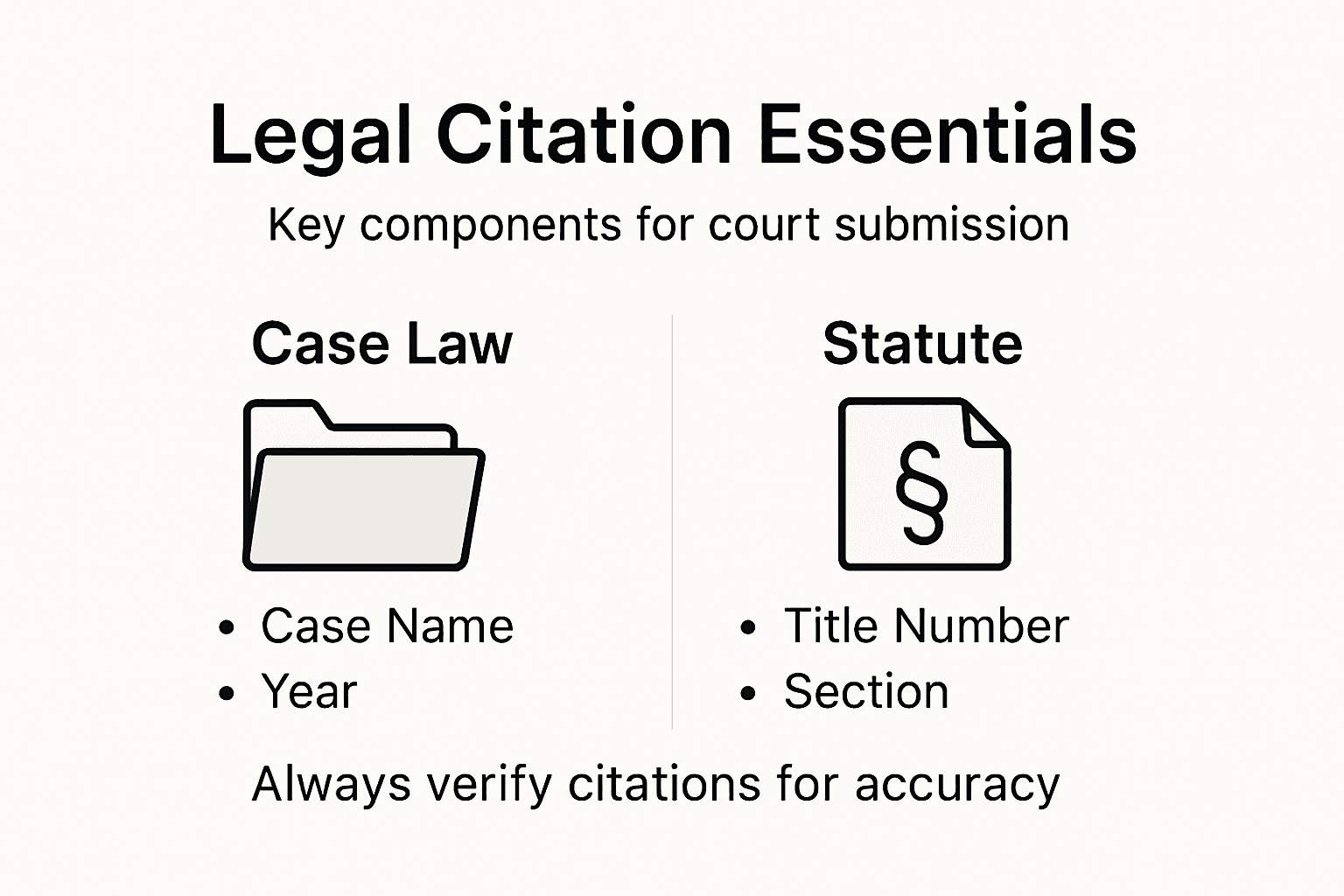
Start by understanding what needs to be cited. Any time you reference a statute, case law, regulation, or legal principle, you must cite it. If you quote something directly, a citation is non-negotiable. If you paraphrase or reference an idea from a legal source, you still cite it. The rule is simple: if information comes from somewhere other than your own personal knowledge or the facts of your case, cite it. Legal citations in court documents should follow accepted citation systems with footnotes, endnotes, or citation sentences, emphasizing accuracy and completeness. Different courts may prefer different citation formats. Federal courts typically use one style, state courts another. Some courts want citations in footnotes, others in endnotes. Check your specific court’s rules before you start. Most courts will tell you exactly how they want citations formatted. If they don’t specify, look at successful documents that have already been filed in your court and follow that pattern.
When you cite a case, include the case name, the reporter volume and page number, the year, and the court. For example, a case citation might look like Smith v. Jones, 123 F.3d 456 (9th Cir. 2020). When you cite a statute, include the title number, section number, and year. For example, 28 U.S.C. 1331 (2018). The format matters because it tells the court exactly where to find the authority you’re citing. Print sources are generally preferred, but verified digital sources are acceptable. If you cite an online source, include the URL and the date you accessed it, so the court can verify it if needed. Digital legal databases like Google Scholar and others provide properly formatted citations that you can copy directly into your document.
Keep your citations consistent throughout your document. If you use one format for case citations in the first paragraph, use that same format everywhere. Inconsistency signals sloppiness. Use abbreviated footnotes following your jurisdiction’s conventions. These should be clear and concise, providing full references without excessive detail. At the end of your document, include a bibliography or works cited section that provides complete information about every source you referenced. This gives the court a comprehensive view of your legal authorities and makes it easy for them to locate your sources.
Verify every citation before you submit your document. Pull up the actual case or statute to confirm the citation is correct. A misspelled case name or wrong page number damages your credibility. Courts sometimes reject documents with citation errors, and fixing them means starting over. Spend the extra time getting citations right the first time. If you’re unsure about a citation format, look it up. Resources like Google Scholar format citations correctly, and most law libraries have style guides available online. The effort you invest now prevents frustration and rejection later.
Pro tip: Use footnote or endnote features in your word processor to insert citations, since these tools automatically number them sequentially and prevent renumbering errors when you revise.
Step 5: Verify compliance and perform quality checks
Before your documents leave your hands and go to the court, you need to perform a thorough quality check. This is your last opportunity to catch errors, missing pages, formatting issues, or compliance problems. Think of this step as your final inspection before delivery. A few minutes spent reviewing now can prevent weeks of delays or outright rejection later.
Start by verifying that you’re using the correct and current forms. Courts update their forms regularly, and submitting an outdated version can trigger automatic rejection. Check your court’s website one more time to confirm that the forms you’ve completed are the latest versions. Make sure every required field is filled in completely. Blank spaces where information should appear signal incomplete work. Quality checks before submission include verifying that documents use correct and current forms and are fully completed, formatted as required, and free of errors. Go through your document section by section and ask yourself: Is this field required? Did I complete it? Is my answer accurate? Are there any blanks I left because I wasn’t sure what to put? If you’re unsure about something, that’s the time to figure it out before submission, not after. Review the instructions one more time to make sure you haven’t missed anything.
Check formatting thoroughly. Open your document and look at it with fresh eyes. Are all headings consistent in size and style? Is spacing uniform throughout? Are page numbers present on every page? Do margins look correct? Print out a few pages and examine them physically. Sometimes formatting issues that are hard to spot on screen become obvious on paper. Look for stray marks, odd spacing, or anything that looks out of place. Check that your citations are properly formatted and complete. Verify that all quotations are accurate and properly cited. Make sure you haven’t accidentally included personal information that should be redacted, like Social Security numbers or names of minors in contexts where they shouldn’t appear.
Review your actual content for accuracy. Read through your arguments and narrative carefully. Do they make sense? Are there typos or grammatical errors? Have you made claims you can back up with the supporting documents you’ve gathered? Are all references to facts, dates, and figures correct? Ask someone else to read it if possible. A fresh pair of eyes often catches mistakes you’ve overlooked. Make sure your document flows logically and that a reader can follow your argument without confusion.
Understand the legal certification requirement. When you sign and submit your document, you are certifying to the court that it complies with court rules and procedural standards, and that it’s not being submitted for improper purposes. This is serious. It means you’re taking responsibility for accuracy and legality. Rule 11 of the Federal Rules of Civil Procedure demands that submitted legal documents are signed to certify compliance with rules and adherence to procedural standards. Before you sign anything, ensure you can stand behind every statement in that document. If you’re uncertain about whether something complies with court rules, now is the time to get clarification.
Create a final checklist and go through it item by item. Have you used the current forms? Is everything complete? Are formatting requirements met? Are all citations correct? Have you reviewed the content for accuracy? Have you checked for typos and grammatical errors? Is sensitive information properly redacted? Is the document logically organized? Only after you’ve checked every item should you proceed to signing and submitting.
Pro tip: Print your final document and read it aloud slowly, because hearing the words helps you catch errors you might miss reading silently, and printing reveals formatting issues that screen display sometimes hides.
Make Your Court Submissions Stand Out With Expert Help
Accurately formatting legal documents for court submission is challenging. From organizing supporting materials to applying precise heading styles and inserting flawless citations, the process can feel overwhelming. If you want to avoid costly delays or rejections caused by noncompliance with court rules and formatting errors, professional assistance is crucial. Many individuals, especially those who are self-represented or incarcerated, struggle with the detailed requirements outlined in this guide.

Take control of your legal filings today with Prisoner Legal Aid. Our specialized document preparation services ensure your paperwork meets every procedural standard, from formatting margins to incorporating verified citations. We offer quick turnaround times and maintain strict confidentiality, helping you navigate both federal and state court requirements nationwide. Don’t let formatting mistakes stand between you and your legal rights. Start your journey now by visiting our website and explore how our services can bring clarity and confidence to your court submissions.
Frequently Asked Questions
What information do I need to gather before formatting legal documents for court submission?
You need to collect foundational information and supporting materials relevant to your case. This includes personal identification, financial documentation, medical records, and any contracts or communications that support your claims. Organize these documents systematically to ensure you can easily reference them during the formatting process.
How should I structure my legal documents to comply with court rules?
To comply with court rules, you must follow specific formatting guidelines provided by your court. Check for details on margins, font size, page numbering, and headings. Ensure you structure your documents logically and maintain a clear hierarchy of sections to make them easy to navigate.
What are the key elements to include in citations for legal documents?
Citations should include the case name, reporter volume and page number, year, and court for case law, or the title number and section number for statutes. Ensure all citations are formatted consistently throughout your document to avoid confusion. Use a bibliography or works cited section to provide complete information about all sources referenced.
How can I ensure the quality of my legal documents before submission?
Perform a thorough quality check by verifying that you are using the correct forms and that all required fields are complete. Review the formatting for consistency, check for typos, and ensure that all citations are correct. This final review can prevent delays or rejections from the court.
What formatting mistakes should I avoid in legal documents for court?
Avoid common formatting mistakes such as using incorrect margins, inconsistent heading styles, and missing page numbers. Double-check to ensure your font and spacing comply with court requirements, as violating these can lead to document rejection. Keeping a checklist of formatting requirements can help avoid these issues.
Should I include sensitive information in my legal document headings?
No, sensitive information such as Social Security numbers or names of minors should not be included in headings. Keep headings focused on the topic at hand to maintain compliance and make your document professional and secure. Always review your document for privacy compliance before submission.